

Work feels like it’s changing faster than our org charts. Meetings multiply, tools pile up, and leaders continue to ask, “What’s going on?” While the instinct is to add more control and oversight, the better approach is to give teams simple tools to organize their work—and give leaders quiet, trustworthy visibility.
The hardest part of any transition is not knowing where you are in it. You’re probably somewhere in the middle if you’re experiencing rising coordination costs and slow decision-making.
Decentralization is the foundation
Decentralization isn’t a trend; it’s a reality. As the futurist Bob Johansen wrote, “Everything that can be decentralized, will be.” Teams form and reform around problems, talent is distributed, and the best decisions happen by those closest to the work.
When we use heavy, centralized tools and processes, coordination costs rise and speed (and morale) drops. The trick is to design for decentralization: let teams decide how to execute—and start small experiments to build the skills agile teams need.
Why tasks trump hierarchy
Trello’s superpower is task management for teams. Lists and cards are easy to learn, quick to reconfigure, and transparent by default—perfect for pop‑up teams and shifting membership. Add a few shared fields (Owner, Due Date, Status, Priority), and different boards become comparable; a workspace view rolls up progress without forcing a single rigid process. Local autonomy meets global visibility. Make the team—not the manager—the organizing unit; managers steward outcomes, remove blockers, and protect focus.
What leaders actually need to see:
- What was completed last week
- What’s in Doing
- What’s stuck or overdue (and why)

Example in action
Leadership asks for an urgent, interactive report by Friday. A small team makes a simple Trello board using org‑wide workflow conventions (lists, labels, fields) with a few tasks, each with a clear owner and due date. People jump in to fix issues as Trello automations flag them. Managers see what’s done, what’s in progress, and what’s stuck in one view—no extra meetings or complicated tools. One practical rule: if a card stays in Blocked for more than 24 hours, add a “Blocker details” checklist, ping the Owner, and @Workstream Lead. In transitions where jobs and roles are being redefined, this lightweight pattern allows skills to evolve while work continues to progress.
Three levers for speed and visibility
In the first 30 minutes, a non‑technical team can create a board, assign owners, set due dates, and enable two simple automations.
Inbox: reduces context loss by capturing off‑board requests (email, Teams, Slack) in one place so nothing slips.
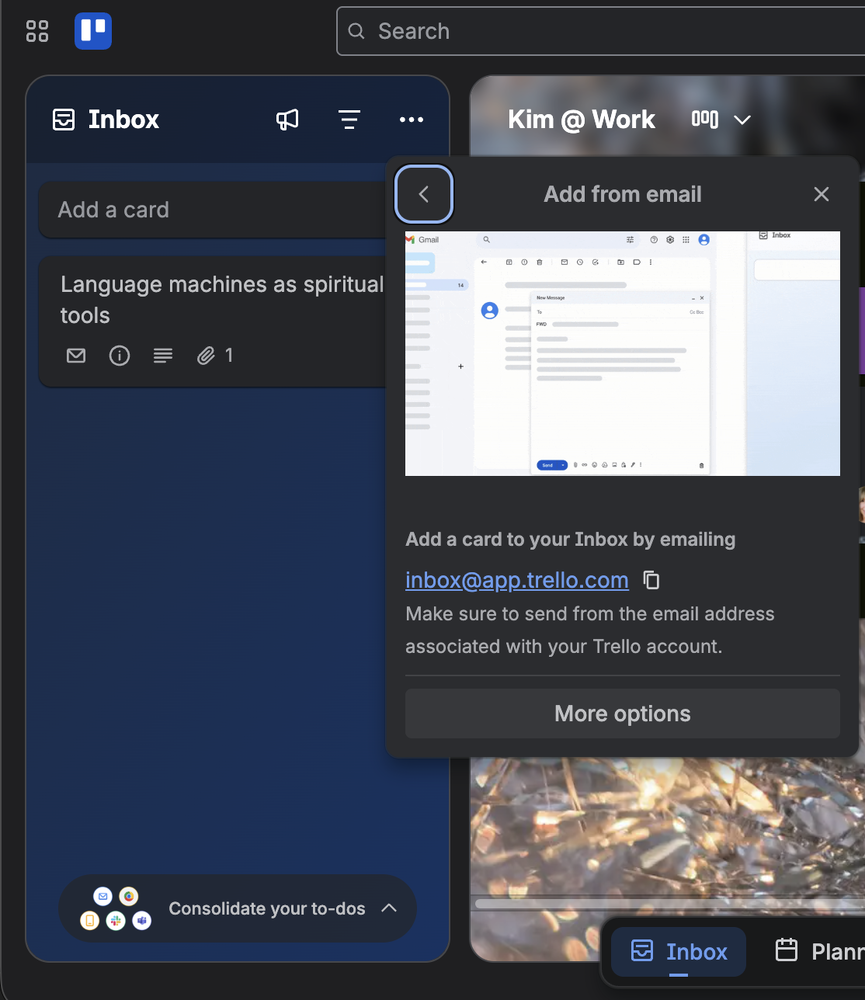
Automation: turns due‑date confusion into predictable handoffs—nudges, checklists, and blocker alerts without code.
Power‑Ups: add just enough integrations (Slack, Google Drive, Calendar, reporting) without rebuilding your workflow.
How to implement this in Trello
Get started today
- Use one simple template across your team: Intake, Doing, Blocked, Done. Keep card titles short; state the outcome.
- Require four fields on every card: Owner, Due Date, Status (mirrors the list name: Intake, Doing, Blocked, Done), Priority.
- Set working norms: Comment on cards instead of adding meetings; forward related emails directly to the board; review the board weekly.
Level up
- Add light cleanup: auto‑archive cards after a short window in Done; enable due‑date reminders and a “Blocker details” checklist.
- Standardize two extras: add Workstream and a “Depends on” link to flag cross‑team dependencies; use them only when relevant.
- When you want simple trends, use Trello’s Dashboard or a basic spreadsheet to track three things: volume (cards completed), on‑time due dates, and how long blockers stick around. Send a short weekly summary.
When Trello isn’t enough (and what to pair it with)

Use Trello as your default, but reach for complements when:
- Dependencies are deep/complex across many teams → add a dependency map or a lightweight roadmap.
- Work is highly regulated → capture approvals and evidence in a system of record; link the card.
- Plans span quarters with resource constraints → summarize in a quarterly plan or timeline view; keep execution in Trello.
If your org lacks a consistent project management tool, Trello is an excellent starting point: easy to learn, customizable, and scalable—and it teaches automation and flow without slowing teams down.
Bottom line
Keep boards simple. Make metrics minimal to start. Trello gives teams agency to solve urgent problems and gives leaders enough information to feel confident the team is on track. Move at the speed of today’s work, not yesterday’s process.